
Kyomi Watch
Kyomi Watch is your autonomous data monitoring system. Instead of manually checking dashboards, let AI watch your metrics and alert you when something matters.
Two Monitoring Modes
Alert Mode (Conditional)
The AI analyzes your data on schedule and only notifies you when conditions are met.
Examples:
- "Alert me if daily revenue drops more than 10% compared to last week"
- "Notify me when error rate exceeds 5%"
- "Watch for unusual spikes in customer churn"
Report Mode (Scheduled)
Receive a summary on every scheduled run, regardless of what the data shows.
Examples:
- "Send me a daily revenue breakdown by region every morning at 9 AM"
- "Weekly user engagement summary every Monday"
- "End-of-month financial report on the 1st"
Creating a Watch
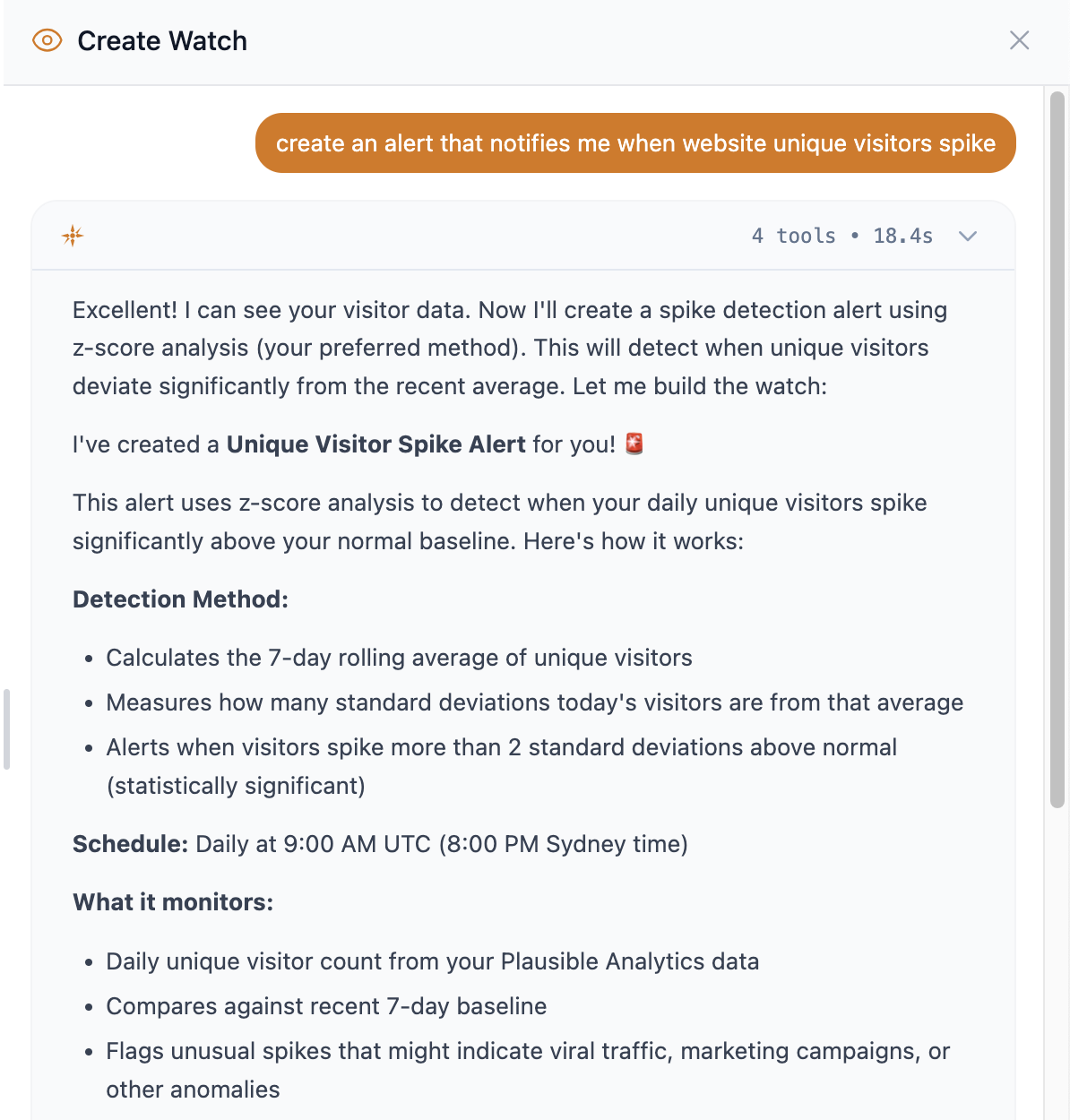
- Click Create Watch in the Watches section
- Describe what you want to monitor in plain English
- The AI explores your data catalog to understand available metrics
- Review the preview card showing your watch configuration
- Confirm to activate—your watch starts running on schedule
Notification Channels
Slack
- Alerts posted to any channel you choose
- Per-watch channel configuration
- Rich formatting with key metrics highlighted
Email
- Multiple recipients supported
- HTML and plain text versions
- Configure per-watch
In-App
- Alerts appear in your Kyomi inbox
- Unread badges in sidebar
- Click to investigate further in chat
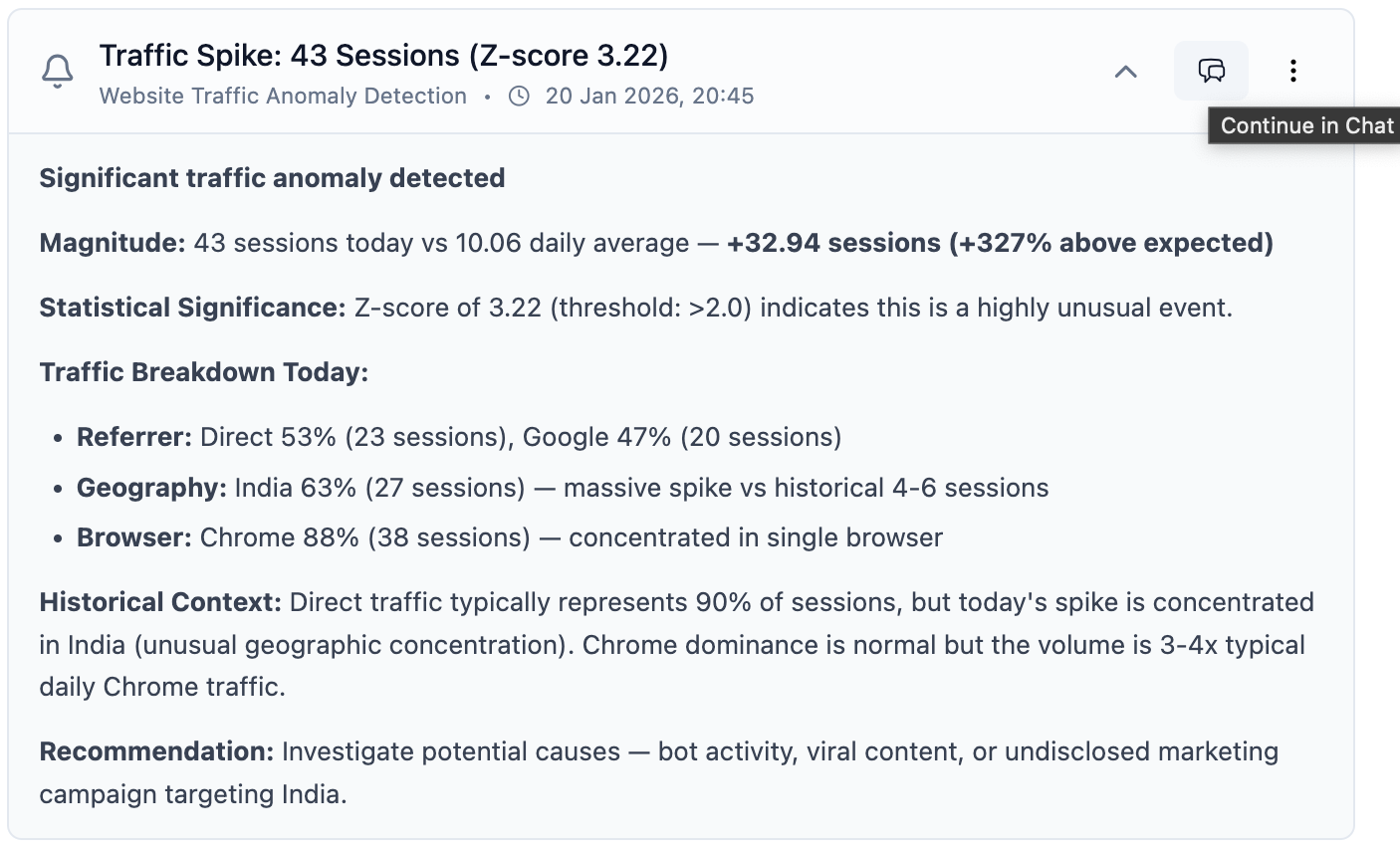
Investigating Alerts
When an alert fires, you can:
- View the full analysis and SQL queries used
- Click "Investigate" to continue the conversation in chat
- Ask follow-up questions with full context preserved
Watch Limits by Plan
| Plan | Watches |
|---|---|
| Free | — |
| Starter | 5 |
| Team | 50 |
| Pro | 200 |