
We're excited to announce Kyomi v1.2, bringing two major capabilities that change how teams interact with their data: Kyomi Watch for autonomous monitoring and Slack integration for data insights where you work.
Kyomi Watch: Your Always-On Data Guardian
Stop checking dashboards. Let Kyomi watch for you.
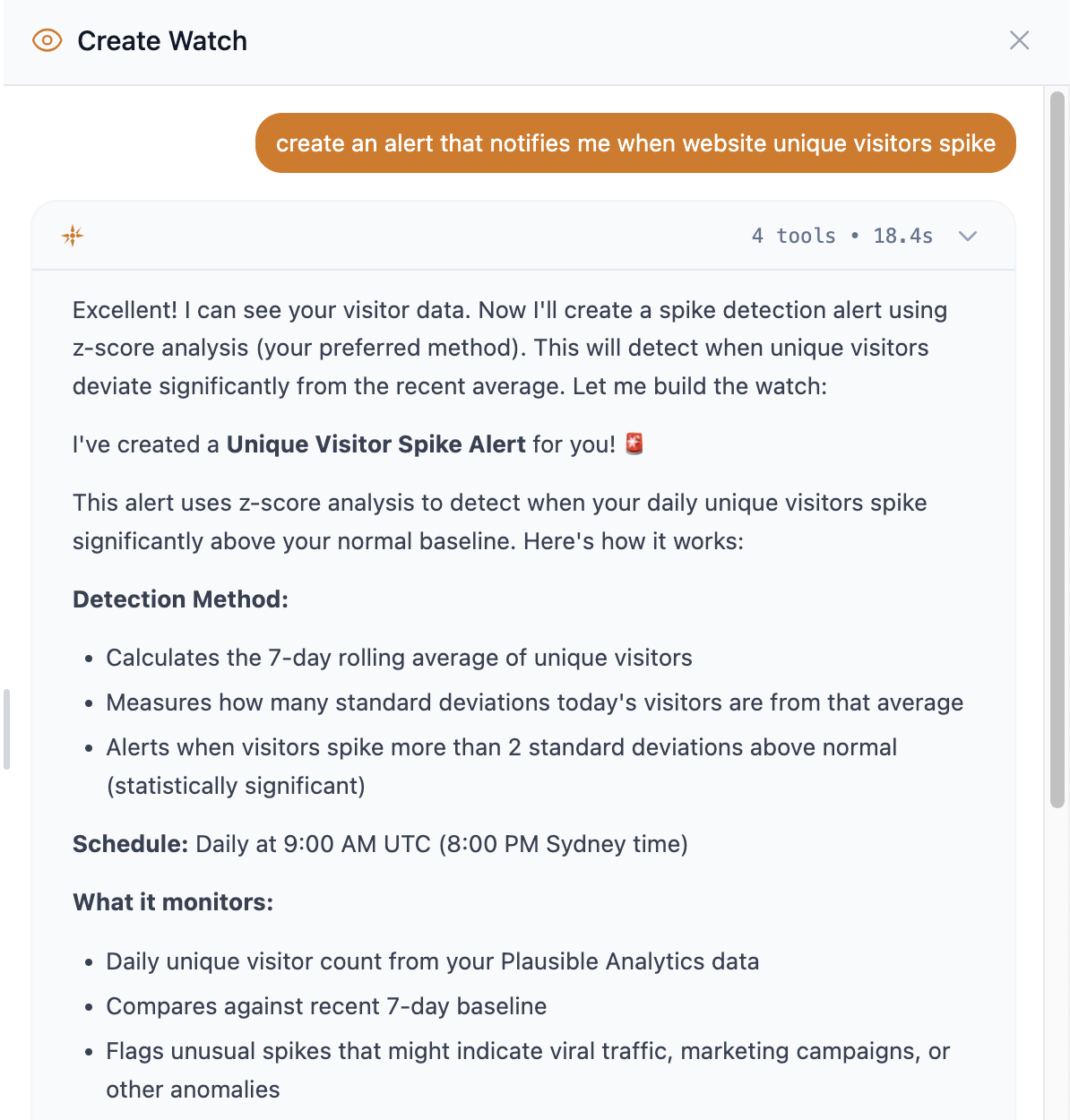
Kyomi Watch is an AI-powered monitoring system that runs on your schedule—hourly, daily, or weekly—and alerts you only when something noteworthy happens.
How It Works
- Describe what matters in plain English: "Alert me if revenue drops more than 10%"
- AI watches 24/7 on your schedule, analyzing data and deciding when to alert
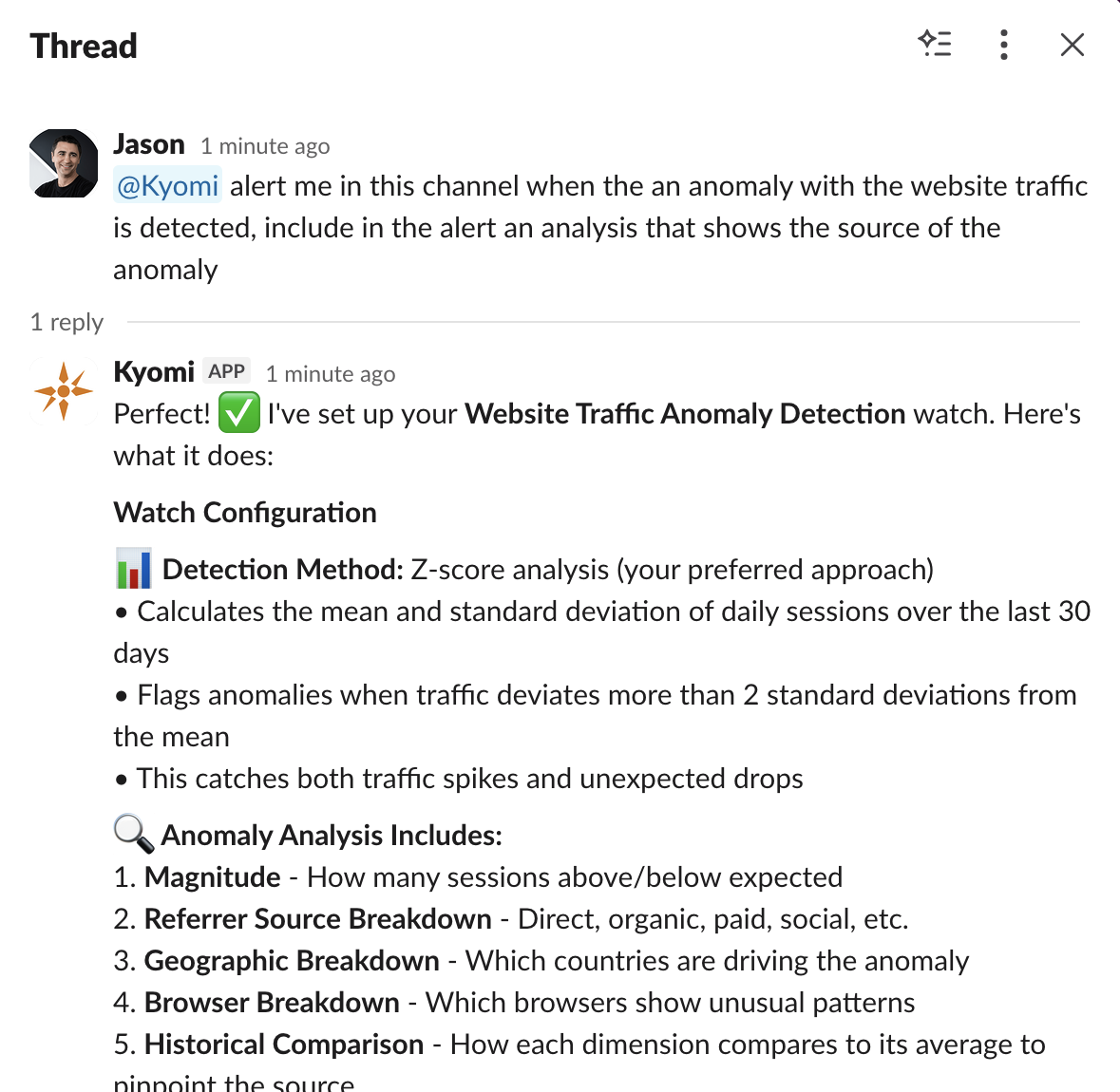
- Get notified via Slack, email, or in-app when conditions are met
Two Modes for Different Needs
Alert Mode - Conditional notifications when thresholds are crossed:
- "Notify me when error rate exceeds 5%"
- "Alert if customer churn spikes unusually"
Report Mode - Scheduled summaries delivered regularly:
- "Send me daily revenue by region every morning"
- "Weekly engagement summary every Monday at 9 AM"
Investigate with Full Context
When an alert fires, click "Investigate" to continue in chat with all context preserved—the SQL queries, AI reasoning, and data samples are ready for deeper analysis.
Slack Integration: Insights Without Leaving Slack
Your team lives in Slack. Now your data does too.
@kyomi in Any Channel
Mention @kyomi with a question and get instant answers:
@kyomi what was last week's conversion rate?
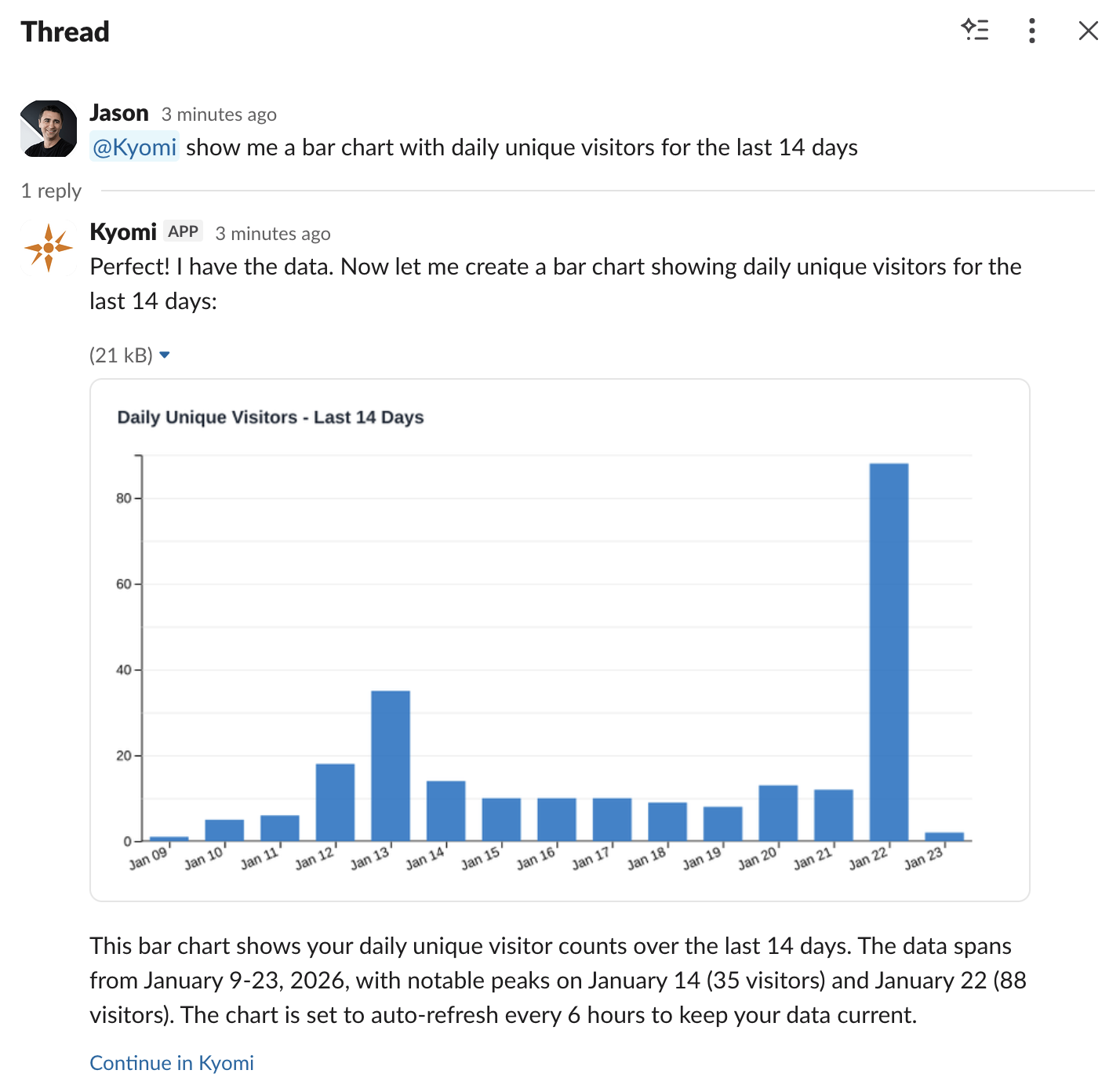
Charts Render in Threads
Visualizations appear as images right in Slack—no screenshots, no exports, no context switching. Share insights with your team in the flow of conversation.
Seamless Handoff
Every Slack conversation syncs to Kyomi web. Click "Continue at Kyomi" to pick up where you left off with full context preserved. Or add messages in Kyomi web and watch them appear back in Slack.
Getting Started
- Install the Kyomi app in your Slack workspace
- Run
/kyomi connectto link your account - Start asking questions with @kyomi
Other v1.2 Improvements
- Shared Conversations: Collaborate on data analysis with your team in real-time
- Improved Chart Rendering: Faster, more reliable chart images for Slack
- Better Error Messages: Clearer guidance when things go wrong
Get Started
Already a Kyomi user? Watches and Slack integration are available now—check your Settings to connect Slack.
New to Kyomi? Sign up free and try it today.
Questions? Reach out to [email protected].